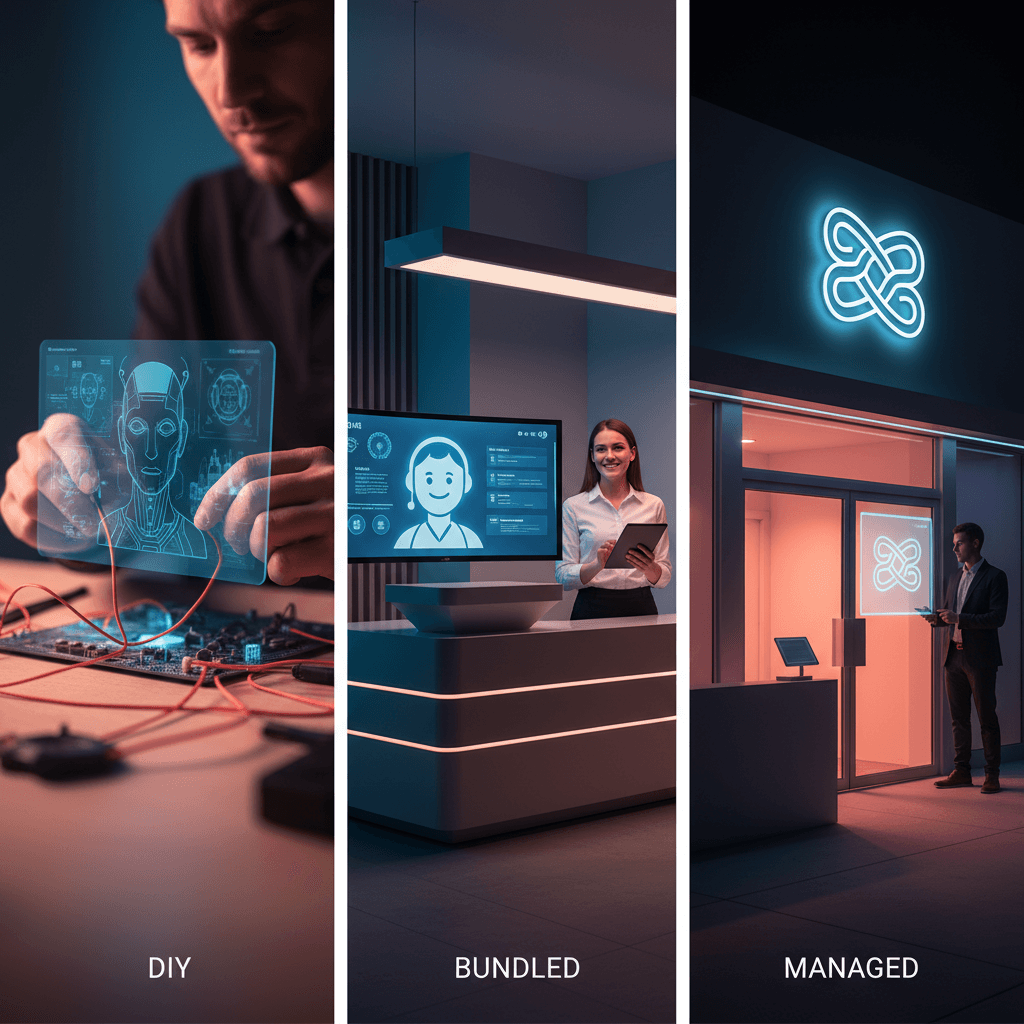
AI receptionist pricing in 2026 falls into three tiers: DIY SaaS ($29–119/month), bundled AI calling inside field-service CRMs like Jobber, and fully managed services. DIY has the lowest sticker price but the highest hidden time cost. Managed costs more monthly but recovers more calls — usually paying for itself with one recovered job.
Which AI receptionist pricing tier is right for your business? The answer depends less on the monthly fee and more on what your calls are worth — and how much time you have to configure and maintain the system yourself. The wrong choice doesn't just waste budget. It costs you the calls you never knew you missed.
For a full overview of how AI receptionists work before comparing pricing, see our Complete Guide to AI Receptionists.
What are the 3 AI receptionist pricing tiers in 2026?
| Tier | Starting Price | Setup Time | Integration | Best For |
|---|---|---|---|---|
| DIY SaaS | $29–$119/mo | 10–25 hrs | Manual | Tech-savvy solopreneurs |
| Bundled (CRM) | Included / add-on | 1–3 hrs | Native to platform | Existing Jobber/HCP users |
| Managed Service | Higher monthly | None (done-for-you) | Full custom | Service businesses with high call volume |
All three tiers answer calls 24/7. That's roughly where the similarities end. AI receptionist pricing differences show up most clearly when you add together setup time, maintenance labor, and the leads that slip through misconfigured scripts.
How much does a DIY AI receptionist actually cost?
Self-serve AI receptionist platforms have proliferated since 2024. The most widely promoted tools include Rosie AI ($49/mo), Dialzara ($29/mo), My AI Front Desk ($65/mo), and Goodcall (free tier, then $59+/mo). On paper, AI receptionist pricing at this tier looks like a bargain.
The real cost is everything the monthly fee does not cover.
A typical home service business spends 15–25 hours configuring a DIY AI receptionist: writing call scripts for every service scenario (emergency vs. estimate vs. scheduling vs. callback), building out your FAQ library, setting up after-hours routing, connecting to your CRM or booking calendar, and testing every possible caller path. Most owners dedicate a full weekend to initial setup — and still find edge cases failing during live calls for the first two to three weeks.
Then the maintenance begins. Whenever you add a new service, change your coverage area, or update your booking process, someone has to reconfigure the scripts manually. That is ongoing labor with no defined end date.
Research from CallRail shows that businesses that do not properly handle inbound call routing lose between 27% and 40% of leads to competitors. At $29/mo, a single misconfigured routing step that costs you one $800 job has already put you in the red for the month.
For tech-savvy solopreneurs with low call volumes and time to invest upfront, DIY AI receptionist pricing makes economic sense. For any service business handling 15+ calls per week, the hidden cost math changes quickly.
Free Resource
Free Call Script Pack
Calculate your missed-call revenue loss and get 12 proven call scripts for AI receptionists.
Download FreeIs bundled AI calling worth it if you already use Jobber or Housecall Pro?
Major field service management platforms have added AI calling as a bundled feature. Jobber introduced AI call summarization and follow-up automation at its higher plan tiers. Housecall Pro offers similar AI-assisted call handling in its Pro and Max plans. ServiceTitan includes AI answering layers for enterprise-level contractors.
Bundled AI calling has one clear advantage: zero new software to evaluate, purchase, or manage. If you already live in Jobber's dashboard, an AI receptionist built into that platform reduces friction significantly. Booking requests flow directly into your dispatch queue with no third-party handoff and no Zapier maintenance.
The tradeoffs are real.
Bundled AI tools are built for the average customer of a general-purpose platform — not for your specific trade, your emergency escalation logic, or your lead qualification criteria. A Jobber AI configured for a landscaping company's simple scheduling calls is not optimized for an HVAC company's emergency dispatch or an attorney's intake process. You get generic call handling without the depth of custom scripting.
You are also locked to the platform's ecosystem. If you move to different field service software, your entire AI receptionist configuration migrates — or disappears.
Bundled tools make sense when your calls are primarily simple scheduling requests, you don't need emergency routing, and you're already committed to that CRM long-term. For businesses where calls involve nuanced qualification, multi-step routing, or after-hours emergencies, bundled tools leave measurable gaps.
What does a managed AI receptionist service include?
A managed AI receptionist is the done-for-you tier of AI receptionist pricing. You pay a higher monthly fee in exchange for zero setup time, zero script maintenance, and professional configuration built around your specific business from day one.
At Astucia, managed AI receptionist service includes:
- Custom call scripts written for your exact services, service area, and hours of operation
- Emergency escalation logic with different routing rules for after-hours urgent calls
- CRM and calendar integration — fully configured and tested before go-live
- Ongoing transcript reviews to catch miscommunications and improve responses over time
- Monthly script updates as your services, pricing, or coverage area evolve
You don't write a single script or touch any settings. The system is live and capturing calls within days.
In working with an Oak Lawn, IL HVAC contractor we manage AI receptionist service for, roughly one in three inbound calls was coming in after hours — and most were going to voicemail before switching to a managed system. According to BIA Advisory Group research, 85% of callers who can't reach a business the first time never call back. At an average HVAC job value of $800–$1,200, recovering even two or three after-hours calls per month is enough to cover the managed service fee entirely.
The monthly investment is higher than DIY tools, but AI receptionist pricing at the managed tier is structured to be covered by what the system recovers — not what it costs. Research from HubSpot shows that businesses responding to inbound leads within five minutes are 100x more likely to connect than those responding within 30 minutes. A managed AI receptionist answers every call within seconds, around the clock, and the math of recovered jobs outpaces the monthly fee for most service businesses.
For a full ROI breakdown comparing AI receptionists to answering services and part-time hires, see our AI Receptionist ROI guide.
What's the real total cost over 12 months?
Most AI receptionist pricing comparisons look at the subscription fee. That's the wrong number to compare.
True 12-month cost tells a different story:
DIY SaaS (example: $49/mo):
- Annual subscription: $588
- Setup labor (20 hrs at your time value): $600–$1,200
- Ongoing maintenance (2–4 hrs/month × 12): $480–$960
- Leads lost to misconfiguration (1 job/month at $800 average): $9,600
- Realistic year-one cost: $11,000+
Managed Service:
- Annual subscription: higher monthly, fully inclusive
- Setup: $0 (done for you, no labor)
- Maintenance: $0 (included)
- Call capture rate: the CallRail data above applies here — businesses without proper call routing lose 27–40% of inbound leads to competitors; professional script configuration eliminates the most common failure points
- Year-one ROI: positive for most service businesses within the first month
The comparison only works in DIY's favor when your call volume is very low and your average job value is modest. For any home service business where jobs average $500 or more, the managed tier has better economics once you factor in recovered revenue.
Which AI receptionist pricing tier is right for your business?
Here is a practical framework for choosing between the three tiers:
Choose DIY if:
- You receive fewer than 15 calls per week
- Your average job value is under $300
- You are comfortable with software configuration and have time for ongoing maintenance
- You want to test AI call handling before committing to a higher tier
Choose Bundled if:
- You already use Jobber, Housecall Pro, or a similar platform that includes AI calling
- Your inbound calls are primarily simple scheduling requests with no emergency routing needed
- You prefer convenience over customization and plan to stay on that platform long-term
Choose Managed if:
- You run a service business with 15+ calls per week
- Your average job is worth $500 or more
- After-hours calls represent real revenue for your business
- You want the system live and working without spending weekends on configuration
For a head-to-head comparison of the major DIY tools and the hidden costs of self-serve setup, see our AI receptionist for home services breakdown.
Ready to see what managed AI receptionist pricing looks like for your specific business? Book a quick call — we'll walk you through exactly how it would work for your trade, your call volume, and your goals.