Your Breezy AI receptionist stops working on July 25, 2026. For small businesses that relied on Breezy for 24/7 phone answering and missed-call text-back, this guide compares the best breezy alternative small business options — Rosie, Frontdesk, Goodcall, and managed AI receptionist services — so you can migrate before the deadline without losing a call.
Breezy served a straightforward need: affordable AI phone answering for small businesses that could not afford a full-time receptionist. Salons, dental offices, law firms, and home service contractors all used it to capture after-hours leads and handle call overflow. When Socratic Systems announced the July 25 shutdown, it left businesses across every vertical without an answering system — with less than two weeks to find a replacement.
The migration is simpler than it sounds. Your business phone number does not change. You need a new system running before July 25, and this comparison covers your real options.
For background on what AI receptionists actually do and what to look for when evaluating providers, see the AI Receptionist Guide.
What Is Breezy AI and Why Is It Shutting Down?
Breezy was developed by Socratic Systems as an AI phone answering product priced by call volume — roughly $50 to $750 per month depending on usage. It handled inbound calls, captured lead information, routed service requests, and sent missed-call text-backs. The July 2026 shutdown announcement did not include a stated reason; the deadline is firm.
If your business phone number was provisioned through Breezy, you will need to port that number to a new carrier or VoIP provider before July 25. If Breezy was only handling your call forwarding — meaning your phone number is held by a separate carrier — you simply need to update your forwarding destination.
Either way, you have until July 25. Waiting until the last few days risks running into onboarding queues. The better approach is to complete the switch this week.
Which Breezy Alternative Is Right for Your Small Business?
The right breezy alternative small business choice comes down to one core question: do you want to configure and manage the system yourself, or do you want a provider to handle that for you?
Here is how the leading options compare:
| Feature | Astucia (Managed) | Rosie | Frontdesk | Goodcall | Smith.ai |
|---|---|---|---|---|---|
| Setup | Done for you | DIY | DIY | DIY | Semi-managed |
| 24/7 coverage | Yes | Yes | Yes | Yes | After-hours add-on |
| Missed-call text-back | Yes | Yes | Yes | Yes | Yes |
| Website chat | Yes | Yes (new Jul 2026) | No | No | No |
| Appointment booking | Yes | Yes | Yes | Yes | No |
| Flat monthly pricing | Yes | Yes | Yes | Yes | Per-minute + base |
| Industry-specific training | Yes — managed | Self-configured | Self-configured | Limited | Limited |
| Pricing | Request quote | $49/mo | $0–$99/mo | $79/mo | $95/mo+ |
Rosie ($49/mo) is the strongest DIY breezy alternative for small businesses right now. In July 2026, Rosie added a free website chat widget to every plan — giving you phone answering, SMS, missed-call text-back, and website chat at one flat rate. The setup is self-service: you configure your own call scripts, FAQ responses, and routing logic.
Frontdesk ($0 free / $99/mo paid) offers an "AI workforce bundle" that combines a phone receptionist with additional AI roles. The free tier covers 20 minutes per month — primarily useful for testing. The paid plan covers 200 minutes; calls beyond that cost $0.25 per minute. Frontdesk fits businesses with consistent, low-volume inbound calls.
Goodcall ($79/mo) takes a clean approach: flat monthly pricing for AI phone answering with no per-minute surprises. It works well for appointment-based small businesses — salons, dental offices, fitness studios — that need reliable call coverage without complex routing rules.
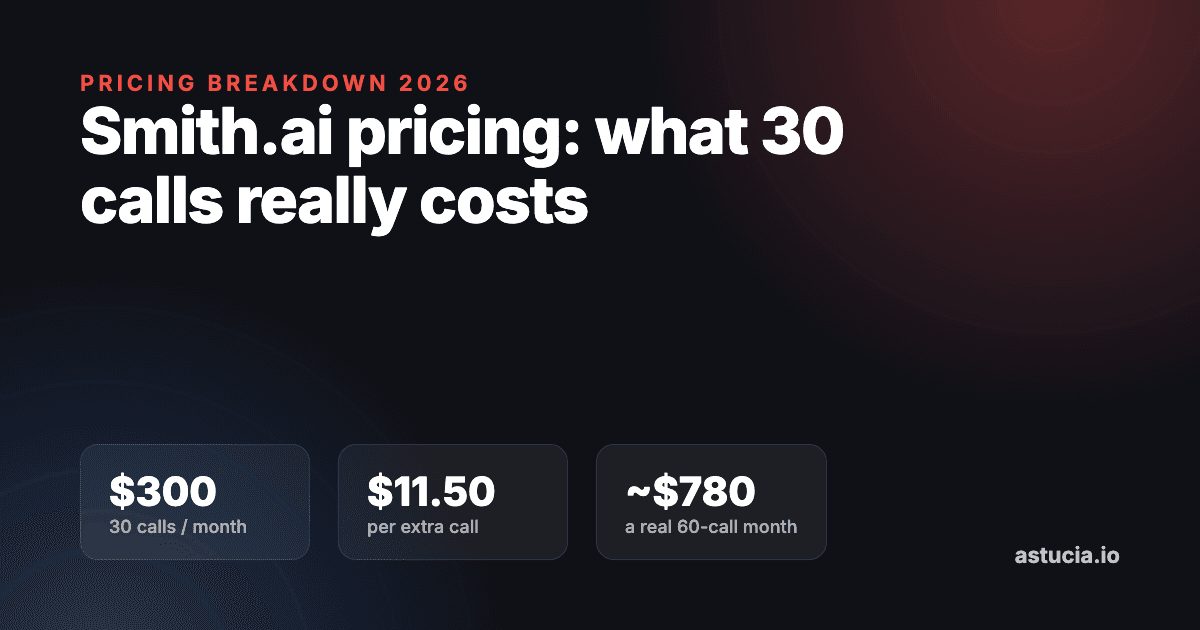
Smith.ai ($95/mo+) runs on a per-minute pricing model with a live-agent backup option. This is a better fit for professional services firms — law offices, accounting firms — where some callers genuinely need to speak with a human. The per-minute cost structure makes it expensive for high-volume call scenarios.
Managed AI receptionist is the right breezy replacement when your time is the bottleneck. With a managed service, your provider handles onboarding, call script development, routing logic, ongoing updates, and performance monitoring. You do not configure anything. The system goes live and stays current without any action from you.
Free Resource
Free Call Script Pack
Calculate your missed-call revenue loss and get 12 proven call scripts for AI receptionists.
Download FreeHow Does Rosie Compare to a Managed AI Receptionist Service?
Rosie is the most common breezy alternative small business recommendation in comparison roundups, and the price is genuinely compelling. At $49/mo, it covers more features than Breezy's entry tier at a lower cost.
But the comparison is not just price versus price. With every DIY platform — Rosie included — you own the system's configuration:
- You write the call scripts that determine what the AI says when your phone rings
- You update the FAQ responses whenever your hours, services, or pricing change
- You troubleshoot routing errors when the AI sends calls to the wrong place
- You test every update before it goes live
That maintenance overhead is real. A salon owner managing a six-chair book does not have spare hours each week to maintain an AI system. A dental office with rotating staff and seasonal scheduling changes has configuration work that recurs constantly.
In working with a Chicago dental office, our managed AI receptionist answered 100% of after-hours calls and captured 14 appointment requests in the first 30 days that had previously gone to voicemail — because the system was configured and trained correctly from day one, not left at a default template.
For most small business owners who are also the operator, the managed model delivers faster results and fewer missed leads — even when the DIY price is substantially lower. The math shifts once you factor in setup time and ongoing maintenance hours at your actual hourly rate.
What Should You Look for in a Breezy AI Replacement?
Not every breezy alternative small business option will serve your specific situation. Before committing to a new platform, verify five things:
1. Flat monthly pricing — Breezy charged by call volume, which made costs unpredictable during busy periods. Replacing one variable cost structure with another (per-minute pricing, tiered call caps) does not solve the problem. Look for a flat monthly fee that covers your typical inbound load.
2. Missed-call text-back — Research published in HubSpot's State of Service consistently shows response speed as one of the top drivers of customer satisfaction for service businesses. An automated text-back sent within 60 seconds of a missed call turns a lost call into a live conversation. Confirm this feature is included, not an add-on.
3. True 24/7 availability — Your highest-value inbound calls arrive after hours and on weekends. A platform that only covers business hours is leaving revenue on the table. Confirm that the system handles 11 PM calls the same way it handles 11 AM calls.
4. Appointment booking integration — The best AI receptionists book directly into your calendar — they do not collect a phone number for a callback later. Confirm that your chosen platform integrates with your existing scheduling tool before signing up.
5. Onboarding timeline — You have until July 25. Confirm that your chosen breezy replacement can be fully configured and live before that date. Ask specifically: how long does setup take, and what do I need to provide to get started?
How Quickly Can You Switch Before July 25?
Faster than most businesses expect.
Your business phone number does not have to change. Call forwarding routes your inbound calls through the new AI system — your clients will not notice any difference. The switch involves four steps:
- Open your new account — 30 minutes or less for DIY platforms; a brief onboarding call for managed services.
- Transfer your business information — Hours of operation, service list, common FAQs, appointment booking details, and after-hours handling protocol.
- Test before going live — Call your own number and walk through your five most common call scenarios. Catch any routing errors before your clients do.
- Update your call forwarding — Point your existing business number at the new system. Monitor the first 24–48 hours to confirm calls are routing and being answered correctly.
If you choose a managed breezy alternative, your provider handles steps 1 through 3. Your only action is updating call forwarding once the system is ready.
According to BrightLocal's 2024 Local Consumer Review Survey, 57% of consumers call a local business directly after finding it in a search result. After July 25, every call that hits a dead Breezy number is a lead that goes to a competitor. The migration is not complicated — the only risk is starting too late.
Get your AI receptionist set up before July 25 →
Keep Reading
- AI Receptionist Guide — Complete breakdown of how AI receptionists work, what features matter, and how to evaluate providers for your business type
- Breezy Alternative for HVAC Contractors (2026) — If you run an HVAC, plumbing, or electrical company, this guide covers trade-specific Breezy replacements and migration steps
- Managed vs DIY AI Receptionist: The Real Cost — Side-by-side cost comparison of managed service versus self-configured AI receptionist platforms