Home service contractors evaluating the Jobber AI Receptionist in 2026 face a core trade-off: a $99/month feature bundled inside Jobber's FSM versus a dedicated managed service trained on your specific business. Jobber AI handles routine calls well for existing Jobber users. An AI receptionist for home services that includes custom emergency scripting, managed onboarding, and platform-agnostic integration is a different product category entirely.
It's 11 PM on a Monday in February. A homeowner's furnace goes out. They search "HVAC emergency repair near me," pull up three numbers, and start calling. The first goes to voicemail. The second rings out. The third answers in two seconds — confirms the service area, captures the problem, flags the urgency, and tells the caller a technician will follow up within the hour.
That third contractor gets the job. The other two find out about the missed opportunity on Tuesday morning.
AI receptionists for home service businesses have moved from novelty to competitive necessity. Two options surface repeatedly in contractor forums and "best AI receptionist" roundups: the Jobber AI Receptionist add-on and dedicated managed services. They solve the same problem in fundamentally different ways.
For a full overview of AI tools built for contractors and home service businesses, see our complete guide to AI for home services businesses.
What is the Jobber AI Receptionist and who is it designed for?
Jobber is a field service management platform used by over 200,000 home service businesses — HVAC, plumbing, electrical, landscaping, cleaning, and roofing among them. The Jobber AI Receptionist is a $99/month add-on (included in the Plus plan at approximately $119/month) and has handled more than 200,000 conversations since launch.
It answers inbound calls, captures caller information, attempts to book jobs into Jobber's scheduling module, and delivers call summaries to the Jobber dashboard. For a contractor already running Jobber as their field service platform, that is a meaningful integration advantage — call answering, dispatch, invoicing, and scheduling live in one place.
That integration benefit is real. So is the constraint: the add-on is a feature within an existing platform. It is not a standalone receptionist built around your specific business, emergency call protocols, or back-end software stack. That distinction matters — and it shows up in how the tool performs in practice.
How does the Jobber AI Receptionist compare to Astucia for home services?
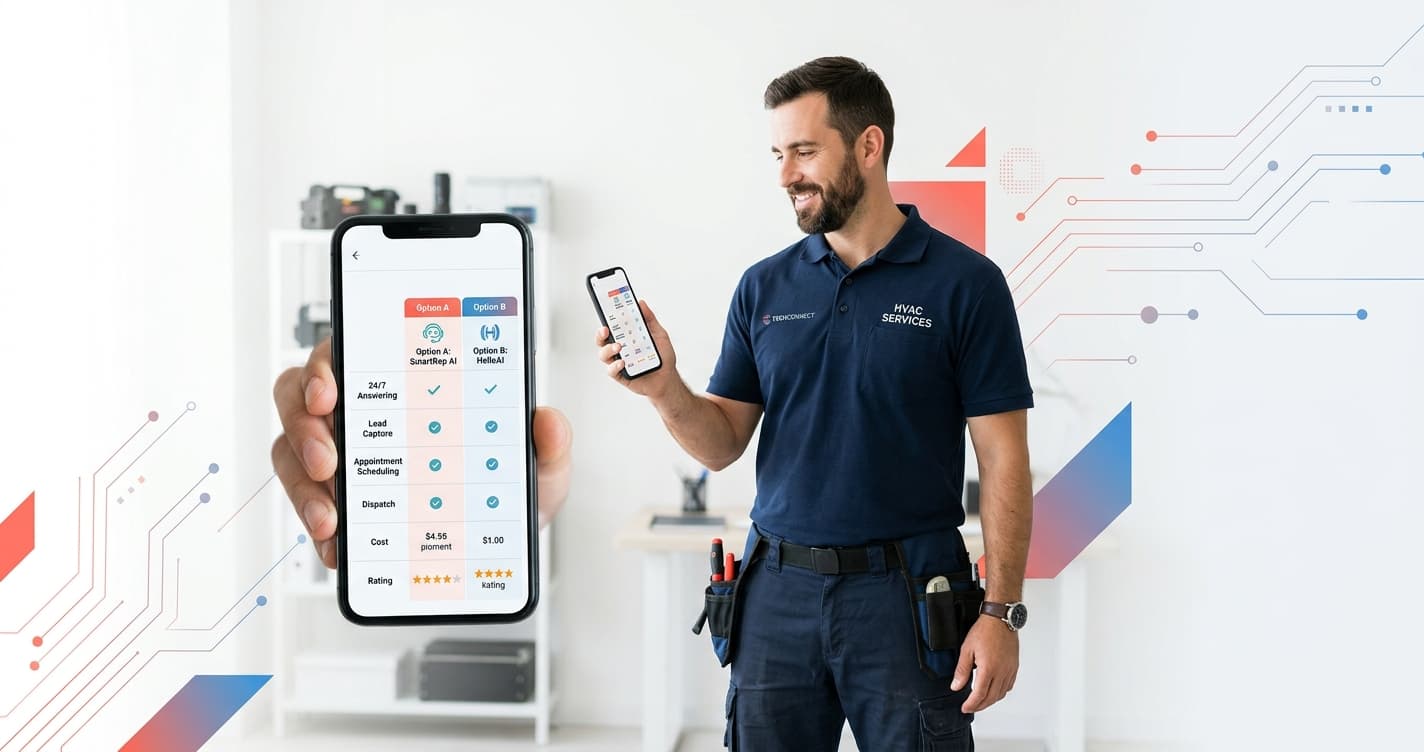
Before going into specifics, here is a direct feature comparison across the options most relevant to home service contractors in 2026:
| Jobber AI Receptionist | Astucia | VoiceCharm | AIRA | |
|---|---|---|---|---|
| Monthly cost | $99 add-on | Request quote | $49–$149 | $24.95–$159.95 |
| Setup model | Self-serve (~30 min) | Managed (3–5 days) | Self-serve (15 min) | Self-serve |
| FSM requirement | Jobber only | Platform-agnostic | None | None |
| Emergency scripting | Self-configured | Managed, custom-built | Template-based | Template-based |
| Ongoing maintenance | Owner manages it | Fully managed | Owner manages it | Owner manages it |
| Home services focus | FSM-native | Full focus | HVAC/plumbing focus | General SMB |
| Platform independence | Jobber-locked | Any FSM | Any FSM | Any FSM |
| Languages | English | Configurable | English | 31 languages |
VoiceCharm is a home-services-specific entrant that launched in early 2026, priced at $49 to $149 per month. AIRA is the current low-price anchor at $24.95 per month for its Starter plan. Both are self-serve tools — configuration and ongoing maintenance are the business owner's responsibility.
Free Resource
Free Call Script Pack
Calculate your missed-call revenue loss and get 12 proven call scripts for AI receptionists.
Download FreeWhy does "managed vs. self-serve" matter for contractors?
Self-serve AI receptionist tools give the business owner a platform to configure: write the call scripts, define the service area, set booking rules, and update the system as the business evolves. That is a straightforward trade-off for someone comfortable configuring software or running a low-volume operation.
For most home service contractors — HVAC technicians finishing jobs at 6 PM, plumbers handling emergency calls after hours, roofing companies managing estimate requests alongside active projects — software configuration time is not a resource they have in abundance. The phone is ringing while they're working. Updates to the AI script happen when someone finds time, which often means they don't happen.
Managed AI receptionists shift that overhead entirely. Onboarding at Astucia takes three to five business days: that time goes into building the call flow for your specific business — your service area zip codes, your FAQ responses, your booking rules, and critically, your emergency call protocols. Updates when you expand service areas, add offerings, or change your on-call rotation happen through the service, not through a software dashboard.
According to research published by Salesforce, 88% of customers say the experience a company provides matters as much as its products. For home service businesses, the first interaction is usually a phone call. An AI that sounds well-trained and responds correctly to the caller's situation builds trust before a technician has arrived on site.
Does the Jobber AI Receptionist handle emergency calls for HVAC and plumbing correctly?
Emergency call handling is the highest-stakes capability for any AI receptionist for home services. A furnace failure in January, a main line backup at 10 PM, or a roof leak during active rainfall are not routine estimate requests — they require urgency detection, specific language, and an immediate on-call notification protocol.
Jobber's AI can capture caller information and route calls after hours. Whether it correctly detects emergency keywords like "no heat," "burst pipe," "flooding," or "complete outage" — and responds with appropriate urgency — depends on how the individual Jobber user has configured the system. There is no dedicated onboarding session to build and test these emergency response scripts for your business specifically. That configuration is on the business owner.
Across home service clients we work with at Astucia, emergency call scripting is the item that requires the most customization and carries the highest cost of error. A call where the AI fails to detect urgency and routes a panicked homeowner to a standard callback queue loses a $1,200 to $2,500 job in under 60 seconds — to the contractor who answers three minutes later.
Getting that script right requires knowing your services, your after-hours protocols, and how your on-call technician wants to be notified. It also requires keeping those details current as your team and schedule change. That is ongoing work, and it is included in a managed service.
For a detailed look at how emergency call scripting works in practice for HVAC operations, see our HVAC-specific Jobber AI receptionist comparison.
What if you don't run Jobber as your FSM?
The Jobber AI Receptionist requires an active Jobber subscription. It is not available as a standalone product and cannot be purchased separately from the Jobber platform.
If your business uses ServiceTitan, Housecall Pro, FieldEdge, WorkWave, or any other field service management tool, the Jobber AI Receptionist is not accessible without switching your entire workflow to Jobber first. For a contractor who has spent years building dispatch, invoicing, and customer history inside ServiceTitan, that is not a realistic option for adding AI call answering.
Astucia is platform-agnostic. It integrates with your existing calendar, CRM, or dispatch software. If you run ServiceTitan and need a managed AI receptionist for your plumbing or HVAC operation, you do not need to change your back-end systems to deploy it.
VoiceCharm and AIRA are also platform-agnostic at the self-serve tier. The trade-off remains: configuration and maintenance are the business owner's responsibility with both tools.
How does VoiceCharm fit into the home services AI receptionist market in 2026?
VoiceCharm launched in early 2026 targeting the HVAC and plumbing contractor segment with positioning built around the pain point directly: "Never Miss a $500 Call Again." Pricing runs $49 to $149 per month with a 14-day trial.
For a single-truck operation or a newer contractor testing AI call answering for the first time, VoiceCharm is worth evaluating. Emergency routing and service-area qualification features are built into the platform rather than requiring configuration from scratch — which is a meaningful advantage over generic AI receptionist tools at the same price point. According to G2's 2026 AI receptionist category data, home-services-specific tools consistently outperform generic tools on HVAC and plumbing call completion rates.
The self-serve limitation applies the same way it does for every DIY tool: when a caller gets wrong information about your service area, when the emergency keyword list is missing a term your callers use, or when your on-call protocol changes — that fix is on you.
For contractors running 20 to 30 inbound calls per month at lower average ticket values, VoiceCharm at $49 to $149 covers the use case without the managed service overhead. For operations where a single emergency call is worth $1,000 or more and missed after-hours volume is a real revenue gap, the economics of managed handling shift.
How do Rosie, Dialzara, and NextPhone compare for home services?
Beyond Jobber and VoiceCharm, three self-serve AI receptionists market directly to contractors — and the pattern is consistent: low sticker price, full configuration burden on you, and no built-in review automation.
| Tool | Price | Managed setup | Trade-specific training | Review automation |
|---|---|---|---|---|
| Rosie | ~$49/mo | No (DIY) | Partial | No |
| Dialzara | ~$29/mo | No (DIY) | No | No |
| NextPhone | ~$199/mo unlimited | No (DIY) | No | No |
| Astucia | Managed | Yes | Yes (HVAC/plumbing/cleaning) | Yes (bundled) |
Rosie (~$49/mo) handles inbound calls and message-taking, but full appointment capture sits behind higher tiers — and there are no out-of-the-box templates for HVAC emergency triage or after-hours cleaning inquiries. You build that logic yourself.
Dialzara (~$29/mo) is the lowest entry price in the category, but you own everything: personality, knowledge base, pricing, and every update. No onboarding, no trade-specific knowledge base, and no review automation — which matters when 98% of consumers read reviews before choosing a local business.
NextPhone (~$199/mo) offers flat-rate unlimited answering — useful for high call volume — but it is still self-serve, with no home-services configuration or review pipeline. For most contractors under 200 calls per month, the unlimited model does not pay off.
The common thread: Rosie, Dialzara, and NextPhone sell you software. Astucia delivers a done-for-you service trained on your trade. If your day is spent on-site rather than in software dashboards, that difference is the whole decision.
What does the managed service tier include that the Jobber AI Receptionist does not?
The cost difference between a self-serve tool and a managed AI receptionist for home services represents a different product, not a premium on the same product.
The Jobber AI Receptionist at $99/month gives you an AI that answers calls, captures leads, and books into Jobber's system. It is self-configured, self-maintained, and tied to the Jobber platform. For a Jobber-native shop with moderate call volume and no complex emergency scripting needs, it is a functional solution.
Astucia's managed service covers a different scope: custom training on your business before go-live (service area, FAQ responses, booking rules, emergency scripts), platform-agnostic integration, and ongoing management as your operation changes. You are not paying for software access — you are working with a service provider accountable for the receptionist's performance.
The ROI calculation is direct: if one correctly handled after-hours emergency call converts to a $1,500 service job that would otherwise have gone to voicemail, the monthly service cost is recovered in a single interaction. For HVAC and plumbing contractors in markets where competitors still rely on voicemail after 5 PM, that is the margin.
Which AI receptionist for home services is the right fit for your business?
Three questions narrow down the decision:
Are you already running Jobber? If yes, and your call volume is moderate with standard booking needs and no complex emergency scripting requirements, the Jobber AI Receptionist is the path of least resistance — it is already inside your workflow. If you run any other FSM, the Jobber AI Receptionist requires a full platform migration to access.
What is a single inbound call worth to your business? For contractors where average tickets run under $200 and call volume is low, a self-serve tool at $25 to $149 per month covers the use case well. For HVAC and plumbing operations where after-hours emergencies carry $800 to $2,500+ tickets and represent 20 percent or more of inbound volume, managed call handling changes the revenue math significantly.
How much time do you have for configuration and maintenance? Every self-serve AI receptionist — VoiceCharm, AIRA, Jobber AI, Rosie — requires periodic updates when your business changes: new service lines, expanded zip codes, protocol adjustments, on-call rotation changes. If you have capacity for that, self-serve is viable. If your time is on the job and not in software dashboards, a managed service removes that overhead entirely.
For home service businesses handling 40 or more inbound calls per month with high-value after-hours emergency volume, Astucia's managed approach is built to recover its monthly cost on one correctly handled emergency call. For contractors testing AI receptionists for the first time or running lower call volumes, VoiceCharm or Rosie provide lower-commitment starting points.
See how Astucia sets up your AI receptionist for home services