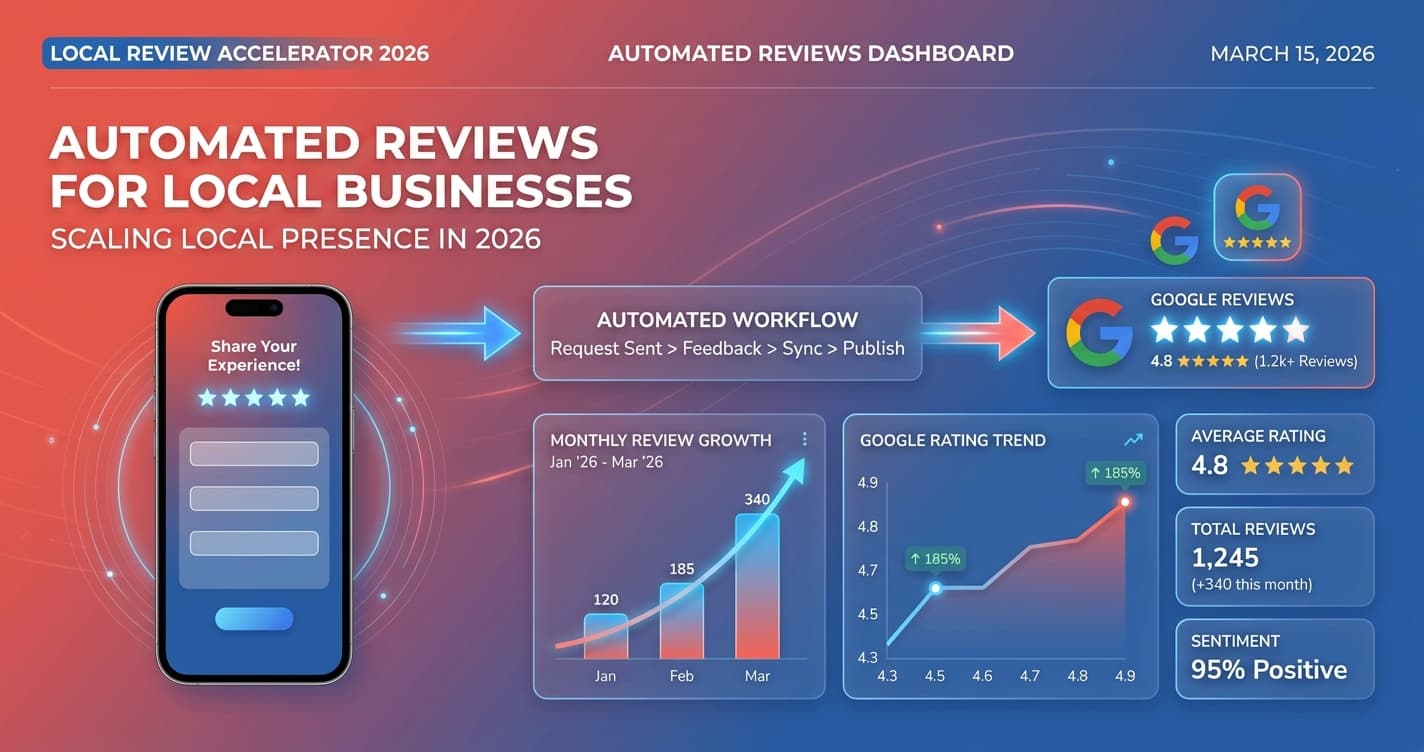
Automated customer reviews are review requests triggered automatically after a completed job, purchase, or appointment — no staff follow-up needed. Businesses using automated review systems collect 3–5x more ratings without manual effort. The right setup sends a personalized SMS or email within hours of each transaction, building your Google rating steadily and lifting local search rankings month over month.
What Are Automated Customer Reviews?
Most local businesses give great service but have mediocre online ratings. The gap rarely comes down to quality — it comes down to consistency. An automated customer reviews program connects to your CRM or scheduling tool and sends review requests without anyone on your team lifting a finger.
The complete guide to review automation covers the full strategy, but this post focuses specifically on the seven tactics that convert the most requests into published reviews.
When a job is marked complete or an appointment is checked out, the system waits the optimal window — typically one to three hours — then sends a personalized text or email with a single-tap link directly to your Google Business Profile, Yelp page, or any industry-specific review platform. No template to update. No calendar reminder to set. Every completed job triggers the same consistent sequence.
Why Do Most Local Businesses Collect Fewer Reviews Than They Deserve?
Three factors kill manual review collection before it starts.
Inconsistency. Staff ask on some jobs and forget on others. One technician is great at asking; another never remembers. Automated customer reviews standardize the process — every customer gets the same request at the same time, regardless of which team member was on-site or how busy the shop is.
Timing. A verbal "please leave us a review" at checkout gets forgotten within hours. A text that arrives while the experience is still fresh converts at three to four times higher rates. According to BrightLocal's Local Consumer Review Survey, 76% of consumers who are asked to leave a review will do so. The bottleneck is the ask, not the willingness.
Volume ceiling. A front desk team handling 40 appointments per week can only ask so many customers before it feels like work. Automation removes the ceiling entirely — 40 completed jobs means 40 review requests sent, every week, without fatigue.
Free Resource
Free Call Script Pack
Calculate your missed-call revenue loss and get 12 proven call scripts for AI receptionists.
Download FreeHow Do You Send Automated Review Requests Over SMS?
SMS is the highest-converting channel for most service businesses. Text messages reach a 98% open rate versus roughly 21% for email, according to Campaign Monitor's email marketing benchmarks. For home services, auto repair, salons, and any business where customers are not checking a work inbox, text is the channel that actually gets read.
The winning SMS formula has three components:
Short. Under 50 words. Anything longer looks like a marketing blast and gets deleted. "Hi [Name], thanks for choosing [Business] today! If you have 60 seconds, a Google review would mean a lot: [link]" outperforms every longer variation we have tested.
Personal. Use the customer's first name and mention the specific service if your CRM tracks it. "Thanks for choosing [Business] for your HVAC tune-up today" feels different from a generic thank-you.
Single link. One tap, one destination. A message that lists three review platforms creates decision paralysis. Lead with Google every time.
For professional services where clients check email regularly — law firms, accounting practices, financial advisors — email sequences work equally well or better than SMS and allow slightly longer, more formal messaging.
Which Timing and Delay Works Best for Automated Review Requests?
The send delay is one of the most impactful variables in any automated customer reviews workflow. Too soon and the customer feels chased; too late and the experience has faded.
Best delays by industry:
- Home services (HVAC, plumbing, roofing): 1–3 hours after job completion. The homeowner is still feeling the relief of having the problem fixed.
- Restaurants and retail: 15–30 minutes. Send while the customer is still en route home or the memory is active.
- Medical and dental: Same day, late afternoon. Morning appointments convert better with an afternoon text than a same-minute send.
- Professional services: 24–48 hours. Clients in these industries prefer follow-up that feels thoughtful rather than immediate.
A single follow-up message at day 5 — if no review has been posted — increases conversion by 18–25% without triggering opt-outs. Two follow-ups is the absolute maximum; more than that crosses into spam territory.
Which Review Platforms Should You Target?
Google is always primary. Google reviews directly influence Maps pack rankings and now appear in AI Overviews, making them the highest-leverage channel for local visibility. Every automated review request sequence should lead with Google.
Secondary platforms by industry:
- HVAC, plumbing, electrical: Angi, HomeAdvisor, Thumbtack
- Auto repair: Carfax Service, DealerRater
- Medical and dental: Healthgrades, Zocdoc
- Restaurants: Yelp, TripAdvisor
- Salons and spas: StyleSeat, Vagaro
A rotation strategy — leading with Google for 60 days, then cycling to a secondary platform for 30 days — prevents your Google profile from stagnating and builds a multi-platform presence that AI search tools like ChatGPT and Perplexity can cite.
How Do You Automate Responses to Customer Reviews?
Collecting automated customer reviews is only half the system. Responding to them is what signals to Google and to prospective customers that you are an active, accountable business.
Modern review management platforms generate AI-drafted responses that sound natural and vary enough to avoid duplicate-text penalties. A five-star review gets a warm thank-you within minutes. A one-to-three star review gets flagged for human approval before any response goes out — which is a hard rule for every program we run.
ReviewTrackers data shows that businesses responding to more than 25% of their reviews grow revenue 35% faster than non-responders. The math is simple: a prospective customer reading reviews is also reading how you respond to complaints.
Response automation rules that prevent mistakes:
- Never auto-publish responses to negative reviews — approve every one manually before sending
- Include the business name naturally in positive responses to reinforce brand entity recognition
- Rotate at least five to eight response templates; duplicate wording across dozens of reviews is detectable
What Tools Power Automated Customer Reviews in 2026?
| Tool | Best For | Price | Key Strength |
|---|---|---|---|
| Astucia | Full-service SMBs, done-for-you | Request quote | Managed setup, CRM integration |
| NiceJob | DIY solo operators | $75–$125/mo | Jobber, HouseCall Pro sync |
| Birdeye | Multi-location enterprise | $299+/mo | 3,000+ integrations |
| Podium | Retail, auto dealers | $249+/mo | In-store kiosk reviews |
| Grade.us | Agencies and resellers | $110+/mo | API-first, white-label |
Across the SMB accounts we manage, businesses that deploy automated customer reviews consistently see their average Google rating improve by 0.3–0.7 stars within the first 90 days, with Maps impression volume rising in parallel as review velocity becomes a stronger ranking signal.
The key difference between a DIY tool and a managed program is ongoing optimization. A managed service monitors open rates, adjusts send times based on industry data, tests message copy, and handles negative review escalations — the same work a growth marketing team would do, applied directly to your review pipeline.
How Does Astucia Set Up Automated Customer Reviews for Local Businesses?
Astucia's Review Automation service is fully managed — you are not learning new software or configuring workflows. We integrate directly with your existing CRM or scheduling tool, configure the messaging to match your brand voice, and run the entire lifecycle from request to response.
Every program includes SMS and email review request sequences triggered by completed jobs or appointments, AI-assisted response drafting for all incoming reviews with human approval gates for negative reviews, and monthly reporting on rating trends and review velocity. When a one-star review lands, you are notified within minutes — before any response goes out.
The monthly service cost is well below what a single lost client from a weak online reputation would cost. For businesses already running Google Ads, a stronger review profile also lifts ad Quality Scores on local extensions, making every dollar of ad spend go further.
Book a 15-minute call at astucia.io/schedule to see how automated customer reviews would work for your business.